![Optii Logo 3x (2)-3.png]](https://help.optiisolutions.com/hs-fs/hubfs/Optii%20Logo%203x%20(2)-3.png?height=40&name=Optii%20Logo%203x%20(2)-3.png)
Optii automates and streamlines the stayover process by integrating directly with your Property Management System (PMS), ensuring rooms are refreshed and ready for guests staying multiple nights.
Understanding the Stayover Job
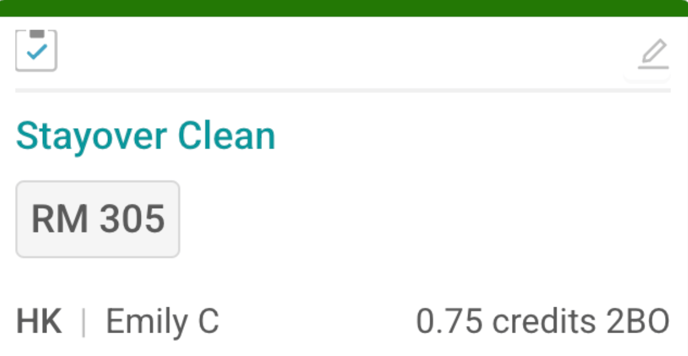
A Stayover job in Optii represents the process of refreshing and maintaining a room while a guest remains checked in. It includes tasks such as cleaning, restocking amenities, and performing general upkeep — all while minimising disruption to the guest.
How the automated stayover process works:
- PMS Trigger: The stayover process can be triggered either automatically based on a schedule determined by the PMS (e.g., daily, weekly) or manually by staff. The interface between the PMS and our system facilitates this trigger.
- Job Creation & Assignment: Once triggered, our system automatically creates a "Stayover" job. This job is then assigned to the appropriate Room Attendant, detailing the specific tasks for refreshing the room. To learn more about the Jobs Assignment in Optii click here: https://help.optiisolutions.com/lesson-4-assign-rooms
- Room Attendant Execution: The Room Attendant follows the assigned checklist, ensuring the room is thoroughly cleaned and prepared according to your hotel brand standards. To learn more about how to complete a housekeeping job in Optii click here: https://help.optiisolutions.com/lesson-6-jobs-for-room-attendants
- Completion & Inspection: Upon completing the tasks, the Room Attendant marks the job as "Complete" within our system. This triggers an inspection phase to ensure quality and consistency. Note: you may opt to skip an inspection for your stayover jobs.
- Inspector's Role & Completion Options:
- Review Your Scoring Checklist: Before proceeding, the inspector will review all the stayover jobs completed by the room attendant, and any additional jobs assigned to this room.
- Choose the Appropriate Completion Option:
- Tap "Complete & Pass": Once the inspector is confident in the room's readiness, they tap the "Complete & Pass" button. This action triggers an important workflow:
- System Status Update: Our system updates the room's status to "Done."
- PMS Update: Optii may also update your PMS to reflect the completed stayover service (depending on your PMS configuration). When enabled, the room status sent to the PMS is Inspected.
- Tap "Complete & Fail": If the inspector identifies any issues or discrepancies, they tap "Complete & Fail." This action triggers an important workflow:
- Automatic Correction Generation: The system automatically generates a "Correction" task for the Room Attendant, detailing the necessary rectifications.
- Attendant Completion and Check Task: Once the Room Attendant completes the correction, the system creates a "Check" task for the inspector.
- Tap "Complete & Pass": Once the inspector is confident in the room's readiness, they tap the "Complete & Pass" button. This action triggers an important workflow:
- Completing the "Check" Task (if applicable): If a "Check" task is generated, the inspector performs a final inspection and completes the task, ensuring all corrections have been made.
🚀 Real-Time Updates: Throughout the entire process, both our system and your PMS are updated in real-time, providing accurate and up-to-date information on room status.
💡 Benefits of Optii's integrated stayover process:
- Consistent Quality: Standardized checklists and automated processes ensure consistent service quality for every stayover.
- Minimized Disruption: Efficient workflows minimize disruption to guests, ensuring a comfortable stay.
- Improved Efficiency: Automation reduces manual tasks and streamlines the stayover process.
- Enhanced Communication: Seamless integration facilitates clear communication between staff and management.
- Increased Guest Satisfaction: Consistent and efficient stayover services contribute to a positive guest experience.
💡Tip: Feel free to share this valuable resource with your colleagues to explore Optii.